Why one free tool powers millions of creators
If you’ve ever watched a livestream on Twitch, YouTube, or Kick, there’s a good chance it was powered by OBS Studio. Quietly sitting behind the scenes, OBS has become one of the most important pieces of software in the creator economy—and it did so without charging a cent.
So what makes OBS so useful, and why has it become the industry standard for streaming?
What OBS Studio Actually Is
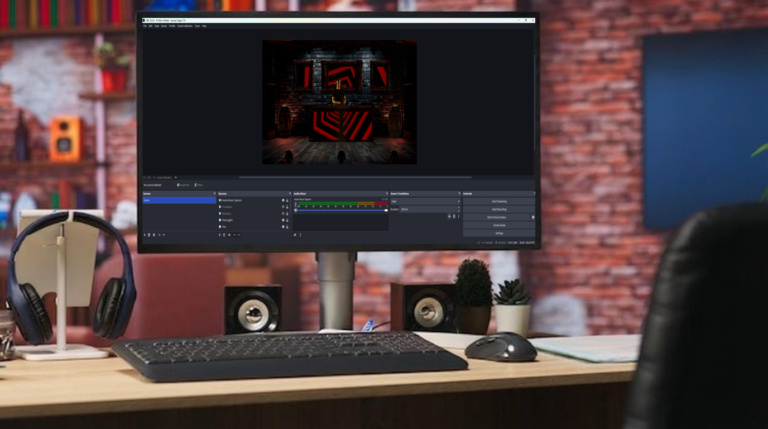
OBS Studio (Open Broadcaster Software) is a free, open-source application for video recording and live streaming. It allows creators to capture multiple sources—screens, cameras, microphones, browser windows—and combine them into a single live output.
At a basic level, OBS lets you:
- Go live to major platforms
- Record high-quality video
- Control audio sources independently
- Switch between scenes in real time
At an advanced level, it becomes a full live production studio.
Why Streamers Love OBS
The real strength of OBS isn’t just that it works—it’s that it scales with you.
Beginner-friendly, professional-capable
You can start streaming with OBS using default settings and one scene. As your channel grows, you can build complex layouts with animated transitions, multi-camera setups, and advanced audio routing—all without switching software.
Scene-based workflow
OBS uses scenes and sources, which means you can instantly switch between:
- Gameplay
- “Just chatting” views
- Intermission screens
- Alerts and overlays
This makes streams feel polished and intentional, even for solo creators.
Deep audio control
Audio is where many streaming tools fall apart. OBS gives you granular control over microphones, desktop audio, music, and alerts. With filters like noise suppression, compression, and EQ, you can dramatically improve sound quality without external software.
Customization Without Limits
OBS doesn’t lock you into a specific “look.” Instead, it acts like a canvas.
You can customize OBS with:
- Browser sources for alerts and chat
- Plugins for transitions, replay buffers, and virtual cameras
- Stream decks and hotkeys for hands-on control
- Third-party overlays and widgets
Because it’s open-source, the community constantly extends what OBS can do. If you want something specific, there’s usually a plugin—or someone building one.
Performance and Reliability
Streaming is unforgiving. Dropped frames, audio desync, or crashes can kill viewer retention fast.
OBS is trusted because it’s:
- Lightweight compared to many all-in-one streaming apps
- Stable under long streaming sessions
- Highly configurable for different hardware setups
Whether you’re on a budget laptop or a high-end PC, OBS lets you tune bitrate, resolution, and encoding to get the best possible performance.
OBS vs “All-in-One” Streaming Apps
Some platforms offer simplified streaming tools with built-in overlays and alerts. These are great for absolute beginners—but they trade flexibility for convenience.
OBS takes the opposite approach:
- Steeper learning curve
- More setup upfront
- Far more creative freedom long-term
That’s why many creators start elsewhere but eventually move to OBS once they want full control over their stream.
More Than Just Streaming
OBS isn’t only for going live.
Creators also use it for:
- Recording YouTube videos
- Capturing tutorials and courses
- Podcast video production
- Virtual events and conferences
In many ways, OBS has become a general-purpose video production tool, not just streaming software.
Why OBS Still Matters
In an era of creator tools designed to lock users into ecosystems, OBS stands out by doing the opposite. It’s free, transparent, and platform-agnostic. It empowers creators to own their setup instead of renting it.
OBS doesn’t try to be flashy. It tries to be dependable.
And that’s exactly why it’s so useful.
Whether you’re a first-time streamer or a seasoned creator running a multi-camera broadcast, OBS Studio remains one of the most powerful tools you can have—quietly turning ideas into live experiences, one scene at a time.